Doctor channelling for clinics: run consultant sessions without the crowd
For channelling centres and clinics with visiting consultants. , 9 minute read.
Channelling is how most Sri Lankans see a specialist: book a numbered token for a consultant’s session, pay the channelling fee, and wait to be called. For the clinic it is also the busiest and most fragile part of the week. Here is how to run it so the consultant is never kept waiting and patients are not kept waiting either.
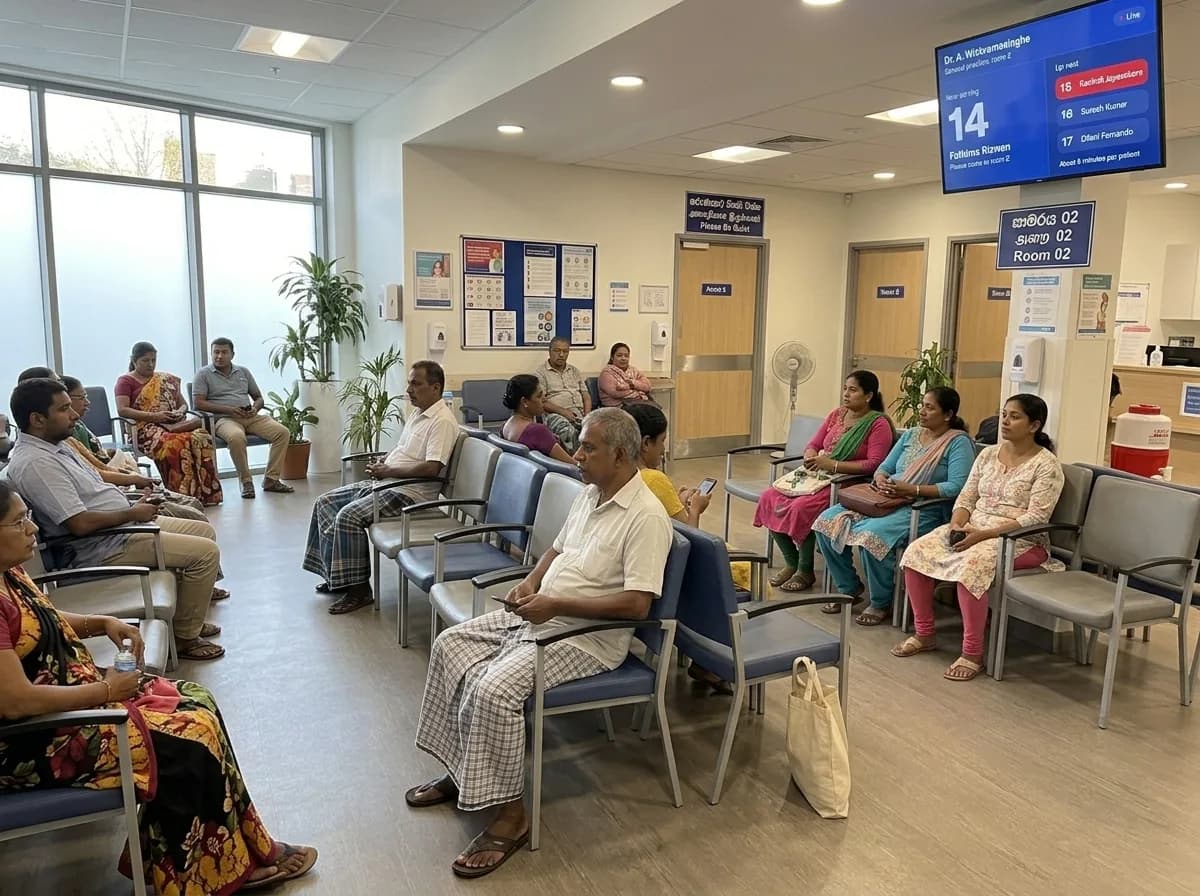
What makes channelling different
A general practice sees whoever walks in. A channelling centre hosts visiting consultants, each with their own days, hours, fee and following. One consultant may come twice a week for a three-hour evening; another may come once a month on a Saturday morning with sixty patients booked weeks in advance.
That means the clinic is really running several small clinics under one roof. Each consultant needs their own sessions, their own token numbers and their own queue, and patients need to know exactly which session they booked.
Set up each consultant once
Before you take a single booking, record each consultant properly. It saves hours of correction later.
- Name and speciality, as patients will search for them.
- Their regular sessions: the day, the start time and the usual end time.
- The maximum number of tokens for each session.
- The channelling fee, and whether patients pay it online, at the counter or both.
- Which room they use, so the waiting-room screen can send patients to the right door.
For the number of tokens, do not guess. Our guide on how many tokens a channelling session should have shows how to work it out from the consultant’s real minutes and average consultation time.
Take bookings from every direction, into one queue
Patients book channelling in three ways: by phone, at the counter and online. All three must land in the same numbered list for that session, or the front desk ends up reconciling a book and a screen while patients argue about who came first.
Online booking matters most for consultants, because patients often book days ahead and from far away. Give each consultant’s sessions a place on your clinic’s booking page, and share that link on your door, at the counter and on Facebook. Patients get a token number and an SMS confirmation the moment they book.
If you want to reduce no-shows, you can ask patients to pay the channelling fee online when they book. With Doc365 the token is held for 20 minutes while the patient pays, and refunds are handled if the session is cancelled.
On the day: start on time
Most of a channelling session’s trouble comes from the first fifteen minutes. Patients who booked early arrive early, the consultant arrives at the time on the board, and the waiting room fills before the first patient is called.
- Open the session on the system as soon as the consultant arrives, so the waiting-room TV shows token 1.
- Take vitals for the first few patients while the consultant settles in.
- Have earlier reports ready for review patients.
- Keep the next two patients near the door, not the next twenty.
When the consultant is late
It will happen: a theatre list runs over, traffic on the way from the hospital, an emergency. What turns a late start into a bad evening is silence.
Tell every booked patient at once, with a new approximate time. A single message saves the front desk dozens of phone calls and keeps patients at home a little longer instead of filling the waiting room. Doc365 can send every patient in the session a new time in one step, and the times on their booking links update with it.
Keep the waiting room calm
A TV that shows who is with the consultant and who is next stops the “which number now?” questions at the counter. When a patient is three places away, an SMS asks them to start coming, so people who live nearby can wait at home.
If patients can scan a QR poster at the door to check in, the counter is free for payments and questions. Our guide to emptying a waiting room without seeing fewer patients has more ideas.
After the session
At the end of each session, check three numbers: how many patients were seen, how many booked tokens were never called, and what was collected. Over a few weeks these tell you whether the token limit is right and whether reminders are working.
Consultants also want their own figures. A report of patients and fees per consultant makes the monthly settlement quick and avoids disputes. Doc365 sends the owner a summary at the end of each session and keeps revenue by doctor in the reports.
Bringing it together
Good channelling comes down to one queue per session, honest token limits, messages that tell patients when to come, and quick figures at the end. Doc365 for channelling centres does all of this, and your consultants’ sessions can be on your own online booking page the day you start your free trial.
Questions people ask
What is doctor channelling?
Channelling is the Sri Lankan system for seeing a doctor, usually a specialist, at a private clinic or hospital. You book a numbered token for one of the doctor’s sessions, pay a channelling fee, and are seen in token order.
How many tokens should a channelling session have?
Divide the minutes the consultant really has by their average consultation time, then add a few for patients who usually do not turn up. Measure both over a week rather than guessing.
Should patients pay the channelling fee online?
It is optional. Asking for payment when booking reduces no-shows for popular consultants, while paying at the counter suits patients without cards. Many clinics allow both.
What should we do if a consultant cancels a session?
Tell every booked patient straight away by SMS, offer another session, and refund any fees paid online. A system that holds the bookings makes this a single step instead of an evening of phone calls.